Ad Placements
Configure where ads appear on your platform.
Placements Overview
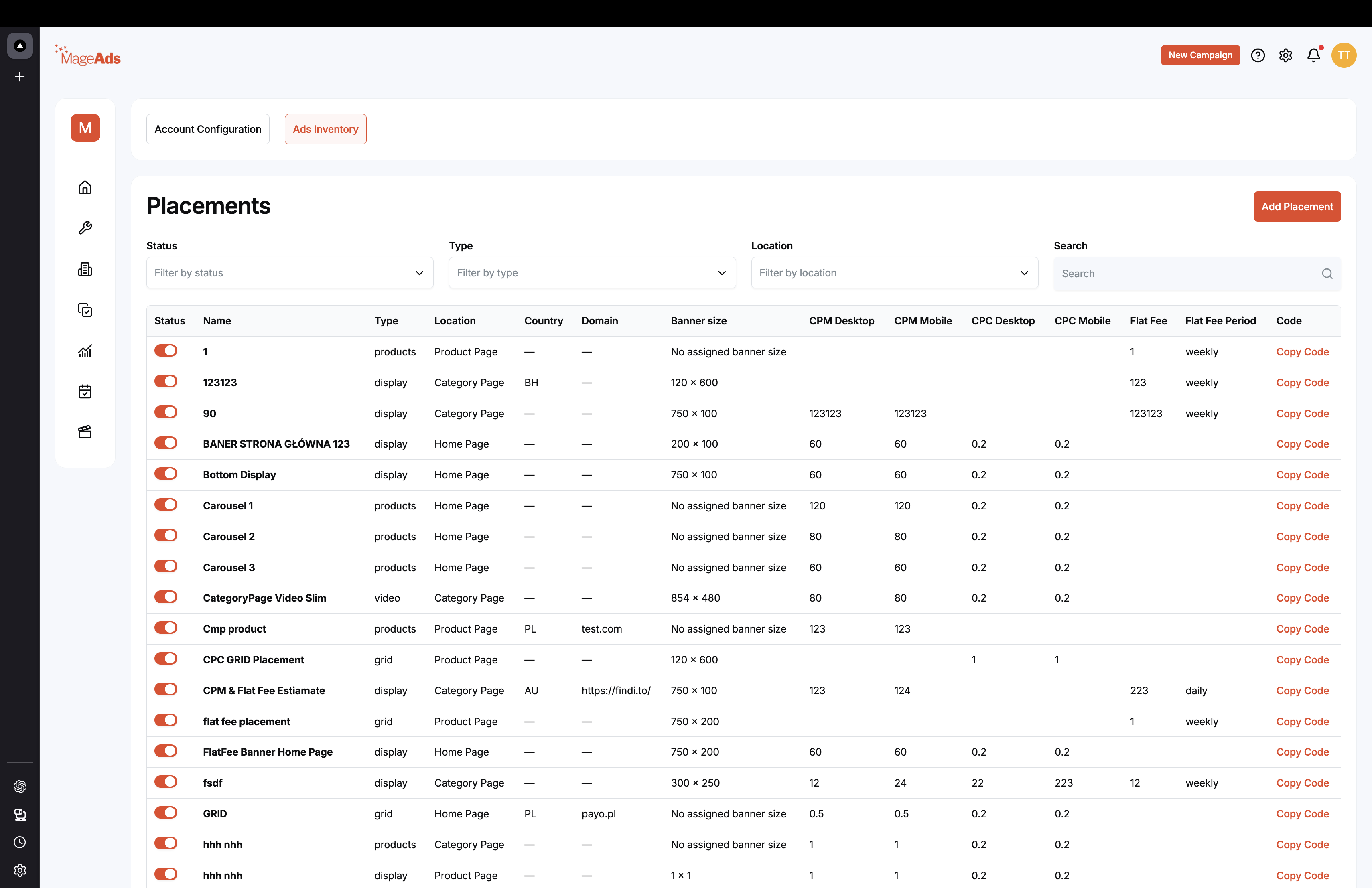
View all configured ad placements with details:
- Status (Active/Inactive toggle)
- Name
- Type (products, display, video, grid)
- Location (Product Page, Category Page, Home Page)
- Banner size
- CPM rates (Desktop/Mobile)
- CPC rates
- Flat fee settings
Create New Placement
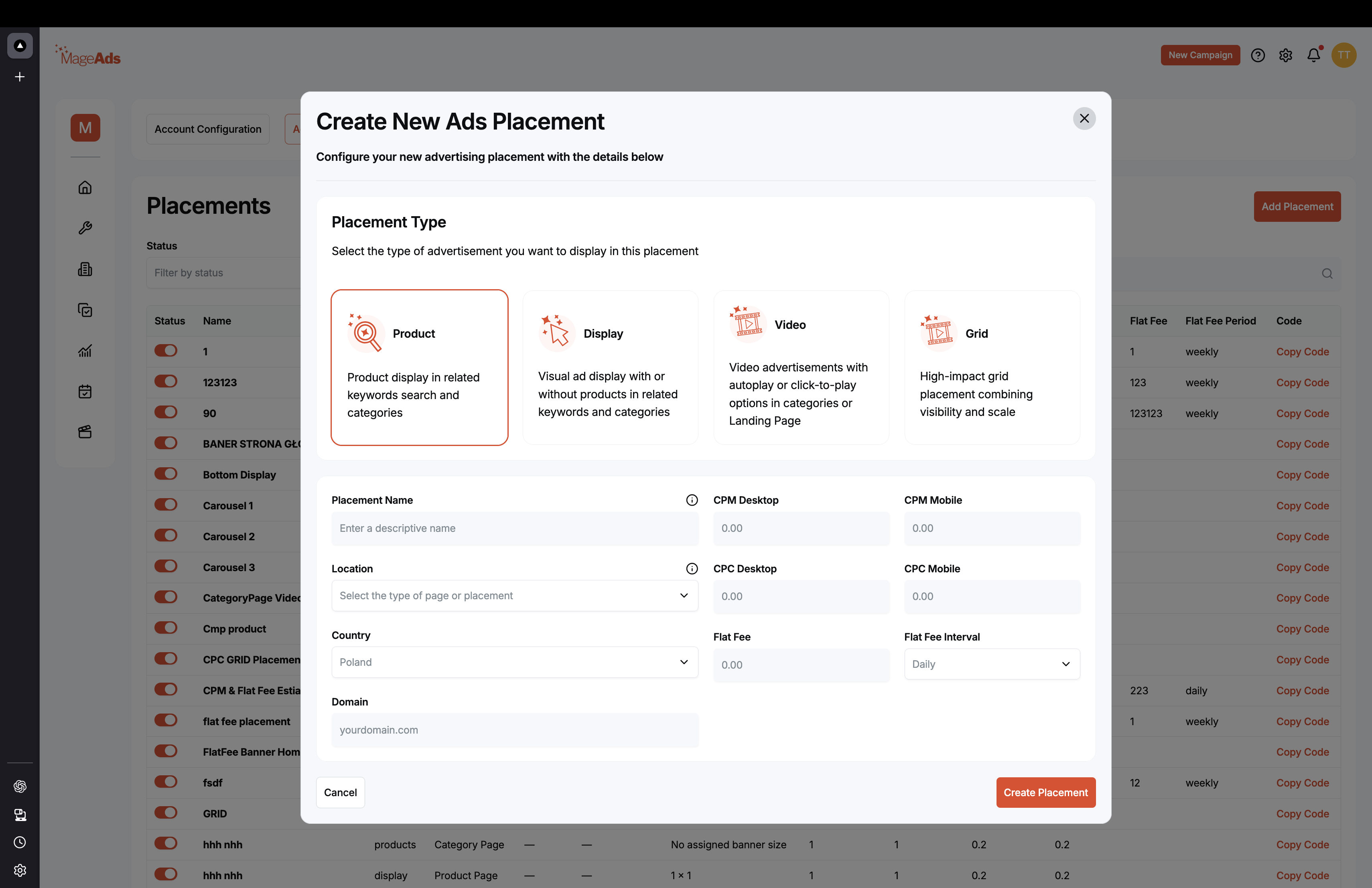
Placement Type
Choose the ad format:
Product
- Product display in related keywords search and categories
- Best for sponsored product listings
Display
- Visual ad display with or without products in related keywords and categories
- Best for banner advertising
Video
- Video advertisements with autoplay or click-to-play
- Best for engaging content
Grid
- High-impact grid placement combining visibility and scale
- Best for multiple products
Configuration
Placement Name Enter descriptive name
Location Select where ads will appear
Country Target specific country
Domain Your website domain
CPM Desktop / Mobile Cost per thousand impressions
CPC Desktop / Mobile Cost per click rates
Flat Fee / Interval Fixed pricing options
Click "Create Placement" to save.
Placement Codes
Each placement has a unique code for API integration. Click "Copy Code" to use in your website.