Schedule Reports
Automate report generation and delivery.
Create Scheduled Report
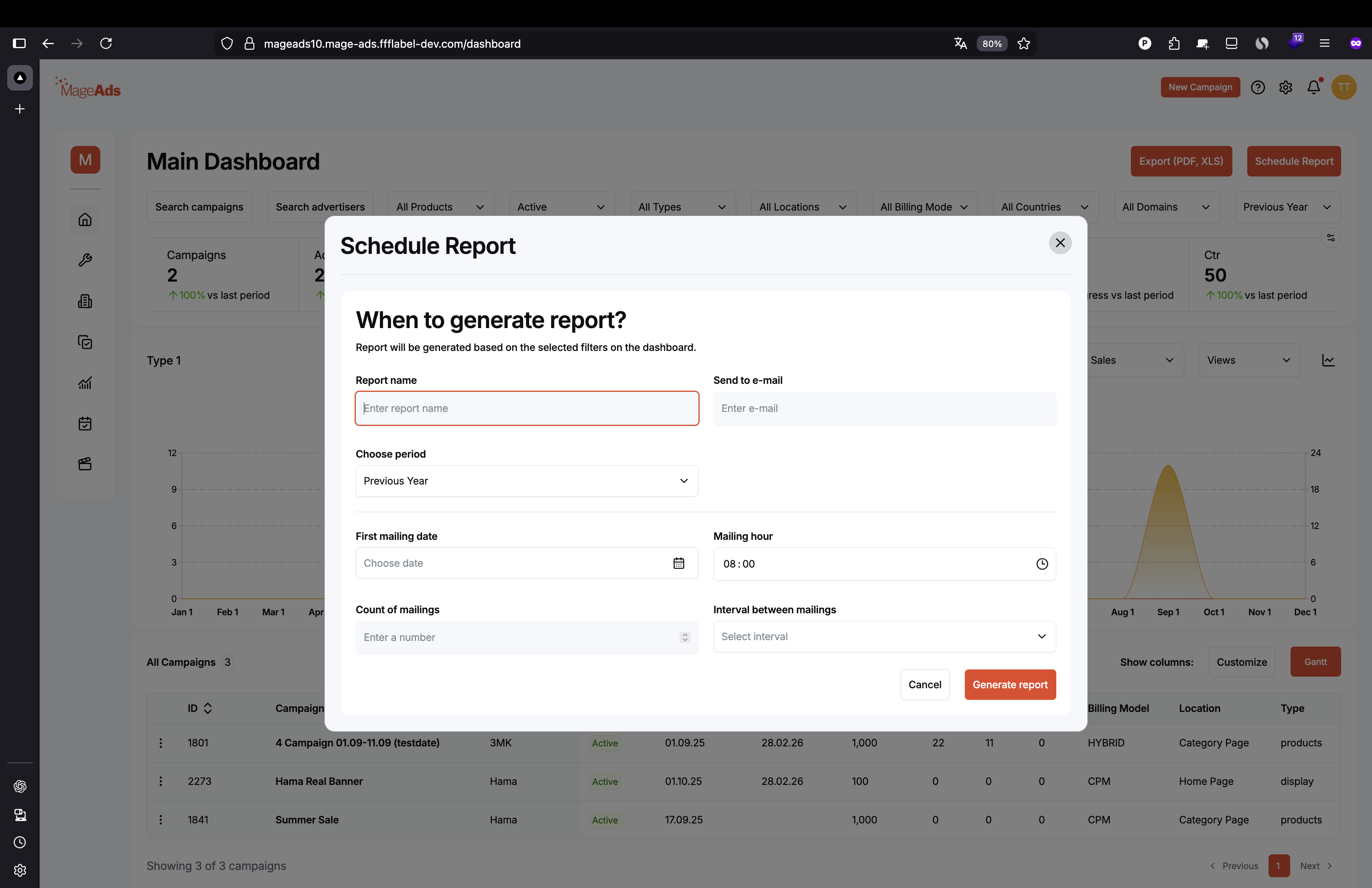
Configuration
Report name Enter descriptive name for the report
Send to e-mail Email address for delivery
Choose period Select reporting period:
- Previous Year
- Current Year
- Current Week
- Today
- Custom range
First mailing date Select start date from calendar
Mailing hour Set time of day (e.g., 08:00)
Count of mailings Number of times to send
Interval between mailings Frequency:
- Daily
- Weekly
- Monthly
Click "Generate report" or "Cancel"
Manage Scheduled Reports
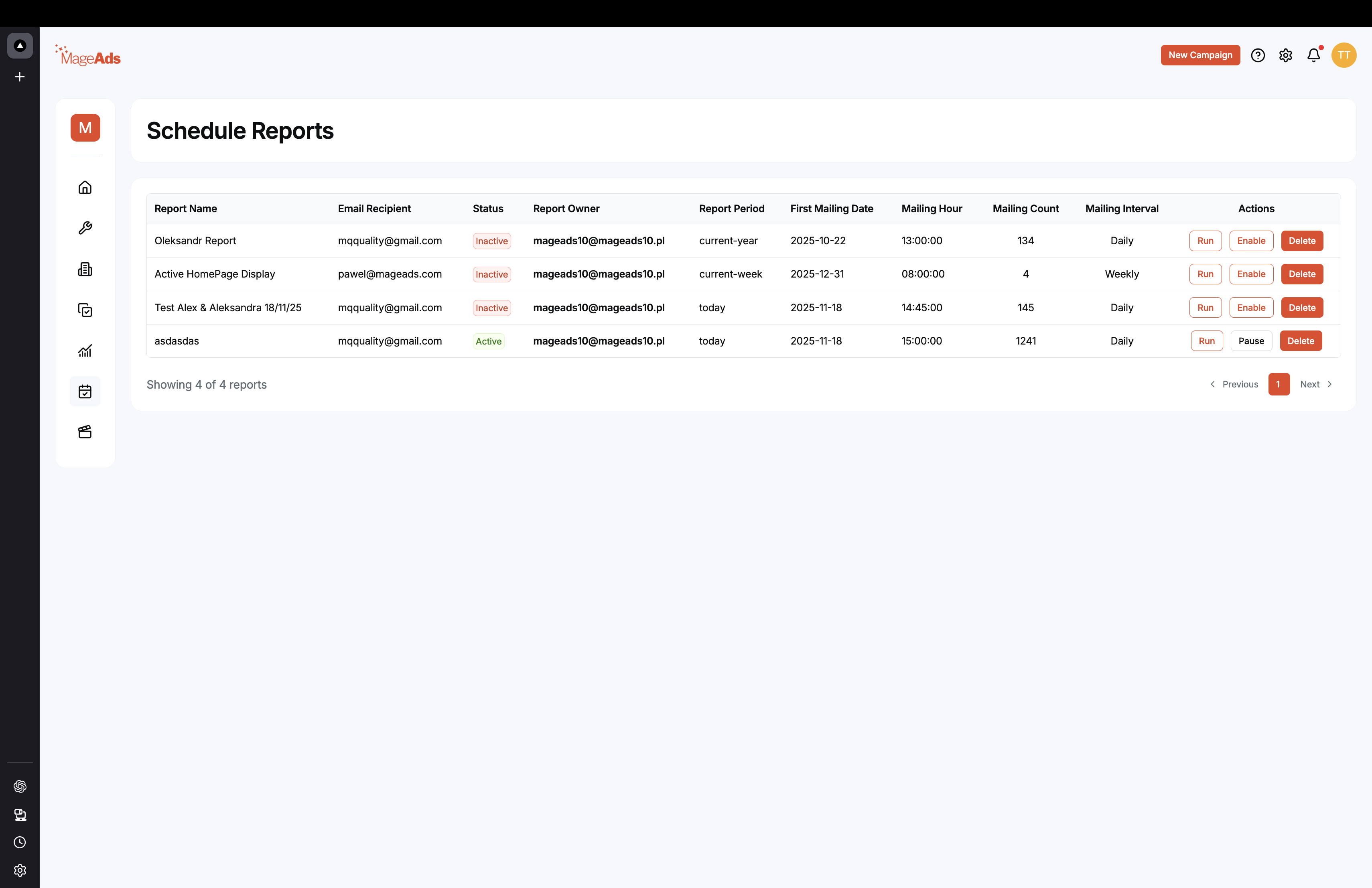
View all scheduled reports with:
- Report Name
- Email Recipient
- Status (Active/Inactive)
- Report Owner
- Report Period
- First Mailing Date
- Mailing Hour
- Mailing Count
- Mailing Interval
Actions
- Run - Execute report immediately
- Enable - Activate scheduled report
- Pause - Temporarily stop
- Delete - Remove scheduled report
Best Practices
✅ Schedule weekly reports for active campaigns ✅ Send daily reports during campaign launches ✅ Use meaningful report names ✅ Set appropriate delivery times